





What is IPsec?
- Cloud networking
- September 4, 2026
- RSS Feed
By Steve Tu, Senior Director, Technical GTM & Strategic Incubation
Learn what IPsec is, how it works, key protocols and VPN types, and how to combine IPsec with NaaS for secure, scalable network connectivity.
Table of Contents
What is IPsec?
IPsec (Internet Protocol Security) is a set of open standards that encrypts and authenticates IP packets as they travel between endpoints, securing traffic at the network layer.
By protecting entire IP packets instead of individual applications, IPsec is a highly secure way to move data across networks – whether between sites, remote users and data centers, or users and cloud environments.
How does IPsec work?
IPsec works by creating a secure relationship between two endpoints, then using that relationship to protect matching IP traffic as it moves across a network. Those endpoints might be routers, firewalls, VPN gateways, cloud gateways, or hosts, depending on the deployment model.
IPsec is widely used for site-to-site VPNs and cloud connectivity with its flexibility, vendor neutrality, and ability to integrate directly with the IP layer, securing data without relying on applications to do the work.
The IPsec protection process usually follows four steps:
- Identify traffic to protect: IPsec checks traffic against defined policies, such as traffic between a branch network and a cloud subnet.
- Authenticate the endpoints: The two sides verify each other, usually through Internet Key Exchange (IKE) using pre-shared keys or certificates.
- Negotiate encryption settings: IKE agrees on the encryption, integrity, key exchange, and tunnel lifetime parameters.
- Encrypt and forward packets: IPsec uses Encapsulating Security Payload (ESP) to protect the traffic, send it through the tunnel, then decrypt and forward it at the other end.
What is an IPsec tunnel?
An IPsec tunnel is a secure, logical connection that protects IP traffic between two endpoints, such as routers, firewalls, VPN gateways, or a user device and a gateway. As packets cross the internet or another untrusted network, IPsec typically encrypts the data and uses authentication and integrity checks to help prevent it from being read or altered in transit. IPsec tunnels commonly support site-to-site VPNs, remote access, and secure cloud connectivity.
Tunnel mode vs transport mode
IPsec transport mode protects only the packet payload and is best for end-to-end host communication, while IPsec tunnel mode encapsulates the entire original packet and is best for site-to-site VPNs, cloud VPNs, and gateway-based network connectivity.
Capability | IPsec transport mode | IPsec tunnel mode |
What it protects | Encrypts and authenticates only the IP packet payload. | Encapsulates and protects the entire original IP packet. |
IP header treatment | Keeps the original IP header visible. | Hides the original IP header inside a new outer IP header. |
Best for | Host-to-host or host-to-gateway communication. | Site-to-site VPNs, cloud VPNs, and network-to-network connectivity. |
Typical deployment | Used when both endpoints can run IPsec directly. | Used when gateways or routers handle IPsec for whole networks. |
Main advantage | Lower overhead. | Easier to scale across enterprise and cloud networks. |
What are the different types of IPsec protocols?
The different types of IPsec protocols are ESP, IKE, and AH. Most IPsec deployments use IKEv2 to set up the VPN and ESP to protect the traffic. AH is optional and not used as often.
Each different type of IPsec protocol takes on a different role to secure network traffic:
Encapsulating Security Payload (ESP)
ESP handles encryption, as well as optional authentication and integrity. ESP is the most widely used IPsec protocol because it protects the data itself, not just the header.
Internet Key Exchange (IKE)
IKE manages the negotiation and setup of security associations between endpoints. IKE automates the exchange of keys and parameters that AH and ESP use.
- IKEv1 is the original version, still used in some legacy deployments.
- IKEv2 is faster, more secure, and better at handling mobility and tunnel re-establishment.
Authentication Header (AH)
AH provides integrity and authentication for IP packets, ensuring the data hasn’t been altered and verifying the source. AH doesn’t encrypt the payload, so it’s less common for general VPN use.
What ports does IPsec use?
IPsec commonly uses UDP 500 and UDP 4500 ports. A port is a numbered endpoint that helps direct network traffic to the correct service or process on a device.
- UDP 500: The standard port used by IKE to negotiate and establish an IPsec connection, including authentication and encryption settings.
- UDP 4500: Used when NAT Traversal (NAT-T) is required, allowing IPsec traffic to pass through devices that use Network Address Translation (NAT).
What is an IPsec VPN?
IPsec forms the foundation of several types of VPNs — commonly referred to as IPsec VPNs — each designed for different connectivity scenarios. Each of these VPN types relies on IPsec to provide encryption, authentication, and integrity, but they differ in how tunnels are established and who the endpoints are – networks, users, or both.
Site-to-site VPN
Site-to-site connects entire networks (including branch offices, data centers, or partner environments) over the internet or private underlays. Traffic from one site is encrypted at the edge gateway, sent through the tunnel, and decrypted at the remote gateway.
This is the most common IPsec VPN type for hybrid and multicloud architectures.
Remote access VPN
Remote access enables individual users or devices to securely connect to a private network from anywhere. The IPsec tunnel is established between the user’s VPN client and a corporate gateway, allowing secure access to internal applications and resources. It’s often used for distributed teams or contractors.
Dynamic multipoint VPN (DMVPN)
DMVPN is a more advanced model that combines IPsec with GRE and NHRP to allow dynamic spoke-to-spoke tunnels without manually configuring each pair. It’s useful for organizations with many branch locations that need flexible, scalable connectivity.
Why use IPsec?
Because it combines strong encryption, authentication, and policy control in a single framework, with benefits like:
End-to-end security at the network layer
Because IPsec operates below the application layer, it protects all IP-based traffic, regardless of the application or protocol in use. This makes it ideal for securing legacy systems or applications that can’t easily be modified to secure encryption.
Strong encryption and authentication
IPsec uses leading cryptographic standards to keep data private and verify its source. This ensures that packets haven’t been altered in transit and that they’re coming from a trusted peer – essential for preventing spoofing and man-in-the-middle attacks.
Transparency with applications and users
Once set up, IPsec runs behind the scenes, with no need to reconfigure apps or rely on users to enable encryption. This transparency keeps security simple across mixed environments where not all systems natively support transport layer security (TLS).
Flexible deployment options
IPsec supports both transport and tunnel modes, making it suitable for host-to-host, site-to-site, and remote access scenarios. It can also be deployed over public internet links, private WAN, or hybrid architectures without depending on specific vendors.
Scalability for enterprise and cloud environments
As organizations grow, IPsec can scale alongside them to protect large, distributed networks. It integrates well with both cloud environments and edge deployments, allowing enterprises to build secure overlays on top of existing connectivity.
Standards-based interoperability
Because IPsec is based on open standards, it works across different platforms and vendors. This interoperability prevents vendor lock-in and lets network teams mix hardware, virtual appliances, and cloud gateways, all while keeping a consistent cloud security posture.
When should you use IPsec?
IPsec can benefit network teams in a variety of scenarios.
Site-to-site connectivity over the internet
For connecting branch offices, data centers, or partner networks, IPsec in tunnel mode is often used to build site-to-site VPNs. Organizations can use these VPNs to securely move traffic between fixed locations without relying on privately leased lines — ideal for hybrid networks where some sites are connected through the public internet.
Hybrid cloud and multicloud architectures
When extending an on-premises network to a cloud provider, you can use IPsec to secure the underlay between your network and the cloud’s edge. Most major cloud providers support IPsec-based VPN gateways, making it practical for initial connectivity or as part of a private redundant path alongside private interconnects.
Remote access for distributed teams
For users working from home or remote offices, IPsec provides secure access back to corporate networks. Deployed in transport mode on user devices or via VPN clients, it authenticates endpoints and encrypts traffic so users can securely access internal resources without needing application-specific tunnels.
Protecting legacy applications and protocols
Some older applications and network services don’t support modern encryption protocols like TLS. By applying IPsec at the network layer, teams can retrofit security without touching the application itself. This use case is common in manufacturing, utilities, and other environments with legacy systems that can’t easily be updated.
Building secure overlays across mixed networks
When dealing with a mix of MPLS, broadband, and mobile links, IPsec can act as a consistent security layer. It’s often used to create encrypted overlays that unify security policies across different underlays, improving visibility and control.
Temporary or rapidly deployed links
In scenarios where you need to bring up connectivity quickly, IPsec provides a fast way to secure those links without the lead time of physical circuits. This is ideal for disaster recovery sites, temporary offices, or short-term partner access.
How does IPsec compare to other security protocols?
IPsec vs VPN
A common misconception is that IPsec is a VPN, but it’s not; IPsec is the technology that powers many VPNs, particularly site-to-site and remote access VPNs. IPsec secures traffic at the network layer by encrypting and authenticating IP packets. VPN is the service built on top of this technology that provides private network connectivity over public or shared infrastructure.
- Use IPsec when you want to build or control the encryption and authentication mechanisms yourself – for example, between data centers or across hybrid cloud environments.
- Use a VPN service when your goal is to provide secure access without managing the underlying tunnels manually, or when you want an overlay network for remote users or branch offices.
In short: VPNs often rely on IPsec, but IPsec can be deployed without offering a full VPN service.
IPsec vs TLS
Both IPsec and TLS provide encryption and authentication, but they work at different layers of the network stack. IPsec operates at the network layer, securing all IP traffic between endpoints. TLS operates at the application layer, securing individual sessions (like HTTPS for web traffic or SMTPS for email).
- Use IPsec when you need transparent, application-agnostic protection across entire subnets, or when securing legacy or non-TLS-aware applications.
- Use TLS when you need application-specific encryption, granular identity control (e.g. certificates per application), or when deploying over the public internet without configuring network-level tunnels.
In many environments, IPsec and TLS are used together – IPsec secures the network path, and TLS secures individual application sessions inside that path.
IPsec vs AES
Rather than an alternative, Advanced Encryption Standard (AES) is actually a building block of IPsec. IPsec is a security framework that uses a variety of cryptographic algorithms to provide confidentiality, integrity, and authentication. AES is one of the encryption algorithms that IPsec can use to encrypt data payloads.
You don’t choose AES instead of IPsec. Instead, you select AES as the encryption method within your IPsec configuration for strong, efficient encryption. AES can also be used standalone in custom encryption schemes, but this requires you to build your own key management and protocol logic — something most network teams avoid for security and operational reasons.
IPsec vs IKEv2 protocol
Internet Key Exchange version 2 (IKEv2) is another component often confused with IPsec, but they serve different roles. IPsec handles encryption and packet security. IKEv2 is the control plane protocol used to negotiate and manage IPsec Security Associations, essentially setting up and maintaining the secure tunnels.
Rather than pick one over the other, you use IKEv2 alongside IPsec. IKEv2 is responsible for authentication, key exchange, and tunnel negotiation, while IPsec does the actual data encryption and transport. Choosing IKEv2 specifically (over IKEv1 or manual keying) is common when you need faster rekeying, mobility support (e.g. mobile devices switching networks), and more robust security negotiation.
How to use IPsec and Network as a Service (NaaS)
Pairing IPsec with NaaS gives network teams the best of both worlds: secure, encrypted connectivity and on-demand network infrastructure, without the cost and complexity of traditional WAN builds. IPsec handles the encryption and authentication; NaaS provides the flexible, scalable fabric to move that secure traffic privately between sites, clouds, and users.
When deployed over a NaaS platform, IPsec tunnels can be deployed quickly, scaled dynamically, and managed centrally, rather than relying on static circuits and physical edge devices. You should especially consider combining IPsec and NaaS if you’re running hybrid or multicloud environments, where workloads and users are distributed but still need a consistent security posture.
Using IPsec with NaaS also lets you extend secure overlays wherever your network needs to reach.
How to adopt IPsec with Megaport
Getting started with IPsec doesn’t have to be complex.
The first step is to map out which sites, cloud regions, or branches need secure connectivity and decide whether you’ll use site-to-site, cloud, or remote access tunnels. Once your endpoints and traffic flows are defined, you configure the encryption parameters, set up the tunnels between your routers or gateways, and validate connectivity. From there, you can scale and automate as your network grows.
Megaport makes this process far simpler.

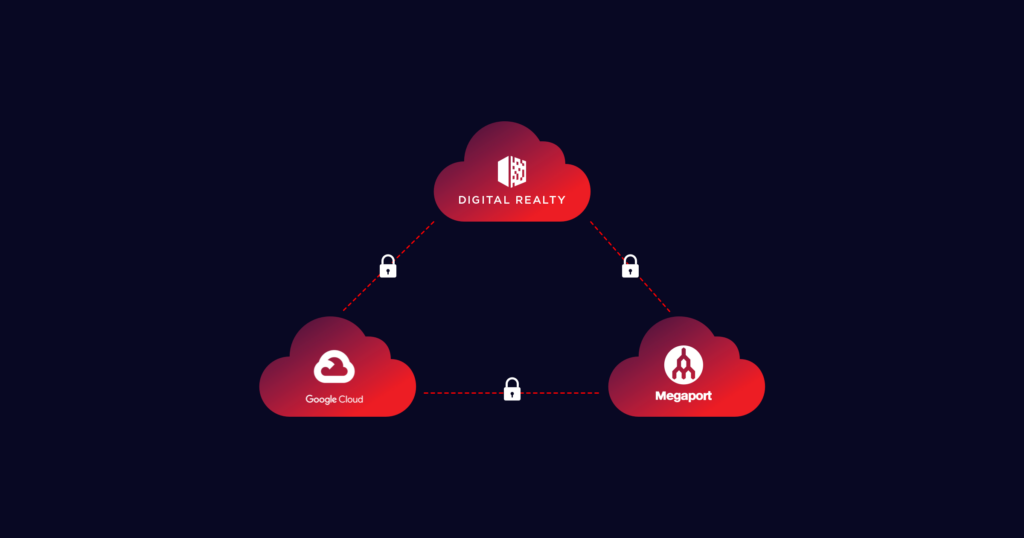
Megaport’s IPsec add-on for MCR provides encrypted connectivity for site-to-site, customer-to-cloud, and cloud-to-cloud use cases. It supports strong cryptographic standards and multiple tunnels per MCR, and integrates cleanly with your existing routing and traffic policies.
And because it’s part of the Megaport fabric, you get secure connectivity that’s fast to deploy, easy to manage, and fully vendor-neutral.
With Megaport’s IPsec add-on for MCR, you can connect securely into the Megaport network without a data center presence.
Discover IPsec Tunnels